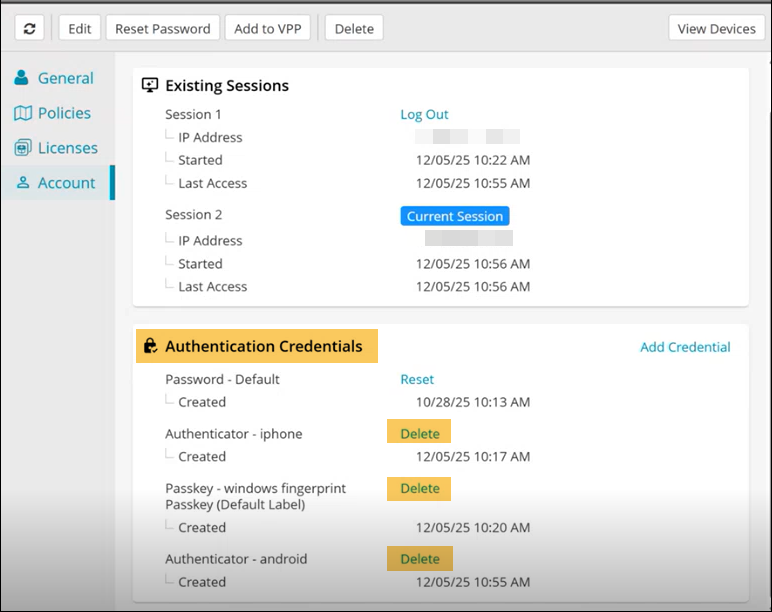
Deleting MFA Configurations
Admins can remove MFA credentials for other users in the KACE Cloud Admin portal, provided they have the appropriate role-based permissions.
Role-Based Permissions for deleting MFA Configuration
The ability to delete MFA configuration depends on the user’s highest assigned role.
- Support user: Can delete MFA configuration for any user, including other support users, system admins, and device admins.
- System admin: Can delete MFA configuration for system admins and device admins account.
- Device admin: Can delete MFA configuration only for device admins account.
To delete MFA credentials:
- In the top navigation, select Users to open the user list.
- Select the user whose MFA configuration you want to remove.
The user details pane opens. - In the user details pane, select Accounts to view the account details.
- In the Authentication Credentials section, locate the authentication method you want to delete.
- Click Delete.
- Confirm the deletion.
The selected MFA credential is removed. The user will no longer be prompted for MFA during login unless tenant-wide MFA is enabled.